

Logs
This section displays real-time system and mining events of the device and is used for diagnostics and operational analysis.
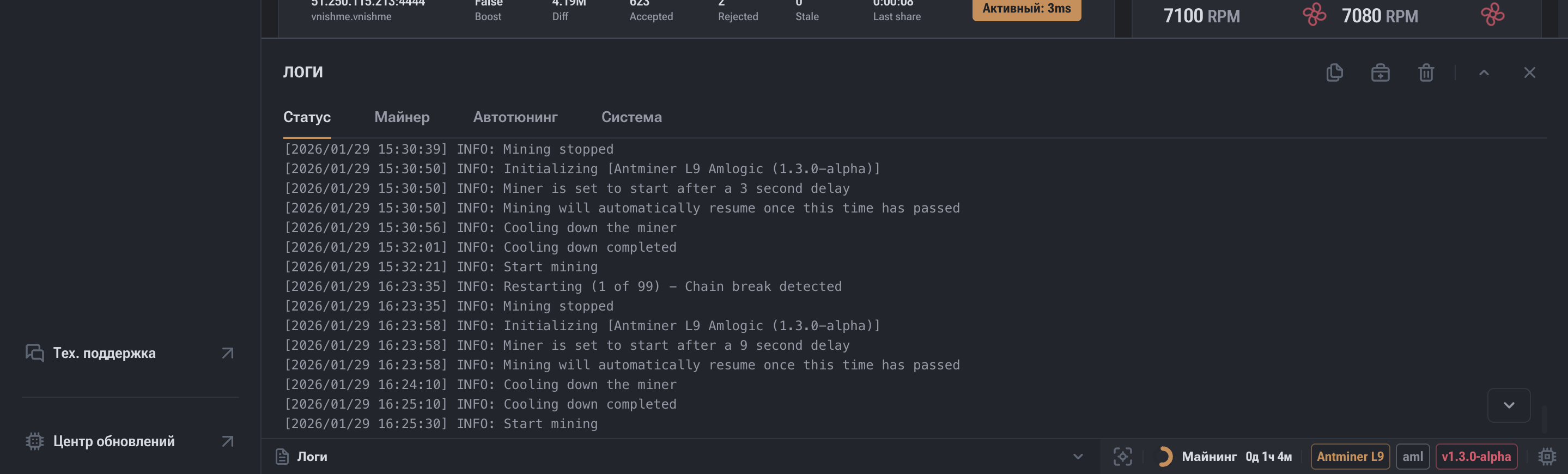
Logs — the primary technical tool for:
- diagnosing malfunctions;
- analyzing operational stability;
- understanding firmware behavior;
- providing accurate information to technical support.
This section displays the system event log related to mining startup, shutdown, and operation.
For easier analysis, logs are divided into several groups:
Status
General system events:
- mining startup and shutdown;
- device restarts;
- warnings;
- temperature events.
Miner
Low-level ASIC events:
- hashboard operation;
- frequencies and voltages;
- chip errors;
- hashrate deviations.
Autotuning
Logs of the automatic parameter selection process:
- searching for stable frequencies and voltages;
- stabilization attempts;
- rollbacks to safe values.
System
Device system processes:
- operating system boot;
- service startup;
- updates;
- kernel errors.

The right side of the window provides utility actions:
- Copy — copies current logs to the clipboard.
- Diagnostic Report — saves the log file for submission to support.
- Clear Logs — deletes selected log categories.
- Collapse / Expand — manages window display.
- Close — exits the section.
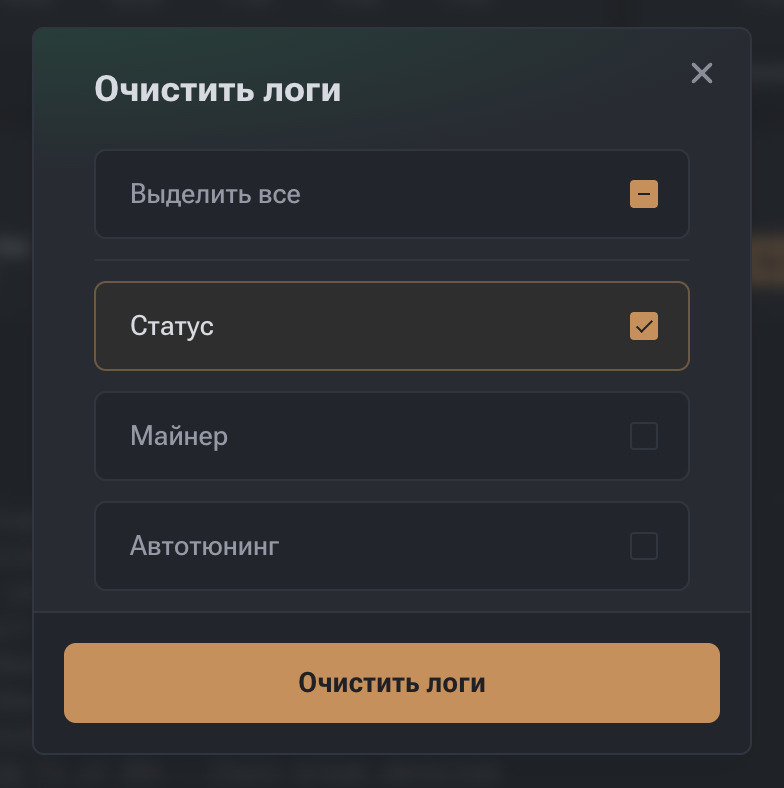
Clearing logs is useful before testing new profiles or changing settings.
The "Clear Logs" button allows you to delete selected categories:
| Category | What is cleared |
|---|---|
| Status | General system events |
| Miner | Data on boards and ASIC chips |
| Autotuning | History of automatic parameter selection |
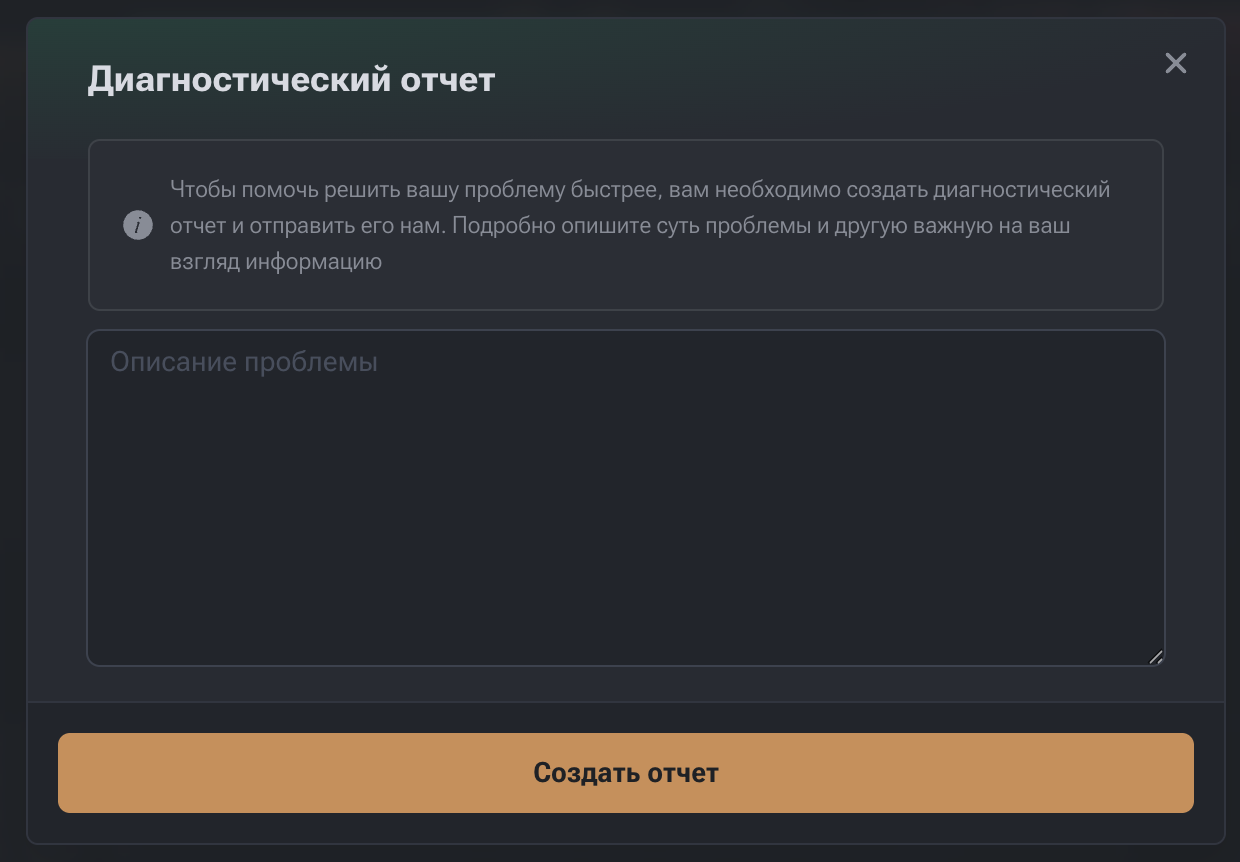
The diagnostic report creation function is used to submit complete technical information to support.
Report includes
- system and mining logs;
- board and chip status;
- cooling and power parameters;
- pool configuration;
- problem description entered by the user.
How to create a report
- Click the report icon in the logs panel.
- Enter a description of the problem:
- when it started;
- how it manifests;
- how often it occurs;
- what actions have already been taken.
- Click "Create Report".
- Download the archive or send it to support (if integration is available).
The event log can be used to reconstruct the device's operational sequence.
Restarts and Failures
- Repeated initialization attempts**
Restarting (2 of 3)** - Initialization errors**
Miner initialization failed**Often related to firmware updates or incorrect settings.
The Logs section is the main source of technical information about device operation.
This is the first place to look when problems arise.