

Device Management
Change Pools
The pool modification command allows mass configuration of mining pool connection parameters for selected devices with template and preset support.
Change pools
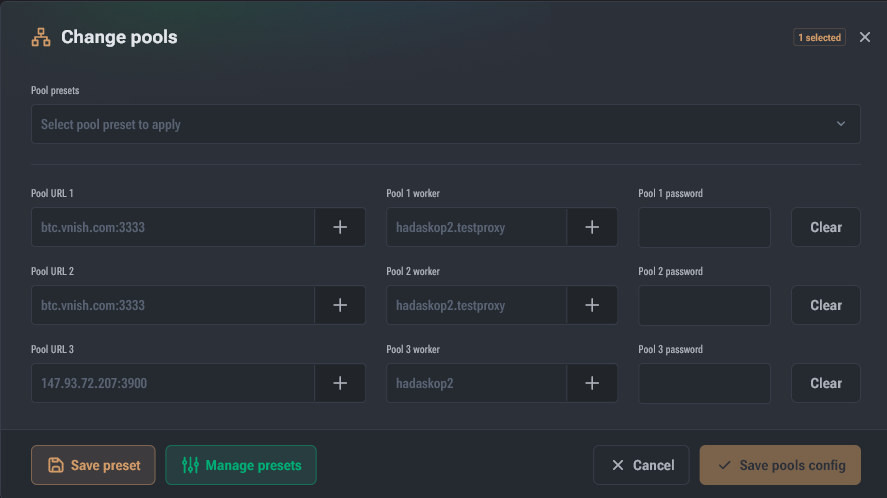
The command opens the pool data modification dialog.
Behavior depends on the number of selected devices:
- 1 device: fields are filled with current values (password hidden).
- multiple devices: template placeholders are inserted into fields:
- URL:
{pool-host}:{port} - Worker:
{account}.{worker} - Password:
{password}
- URL:
When any field is changed, a result preview appears (generated based on the first selected device).
Change indication and quick actions
- Modified fields are highlighted, a cross appears to reset a specific field change.
- On the right, buttons are available:
- Reset — restore all fields to the original state
- Clear — clear all fields (equivalent to removing the pool)
Pool placeholder templates
To open the list of available templates, click "+" next to the field.
URL templates
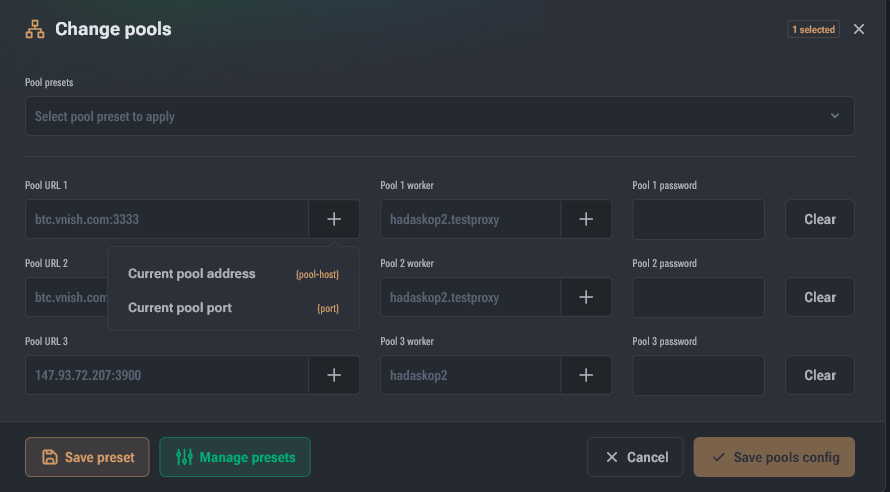
{pool-host}— pool protocol and address{port}— port
Worker templates
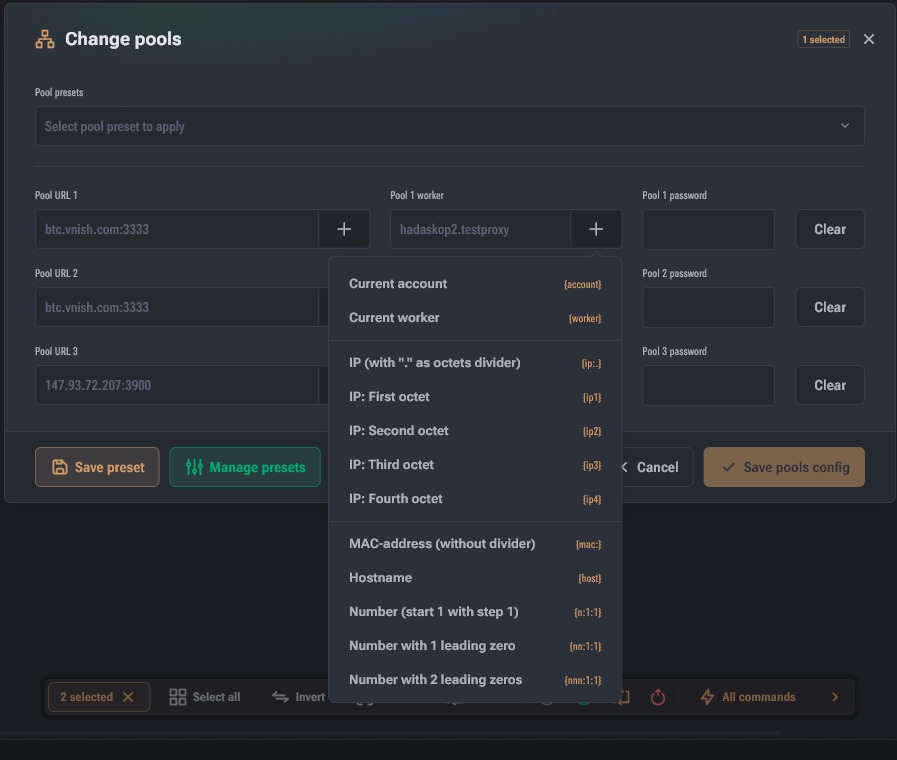
{account}— worker part before the first dot (for example,myaccfrommyacc.worker.001){worker}— worker part after the first dot (for example,worker.001){ip:<dev>}— device IP with<dev>separator (default.){ip1}{ip2}{ip3}{ip4}— IP octets{mac:<dev>}— device MAC with<dev>separator (default: no separator){host}— hostname from network settings{n:<start>:<step>}/{nn:...}/{nnn:...}— device sequence number (n= number of digits).- Example:
{nnn:10:2}→010, 012, 014…
Pool templates (as a saved preset)
You can save current field values as a template:
- make changes → Create template → set a name
- the template is selected from the dropdown at the top of the dialog
- when clicking Create template again (when a template is selected), you can:
- update the selected template
- or save the changes as a new template
Autotune (Hashcore/Vnish)
- Reset autotune profiles — resets all saved profiles
- Reset current profile — resets the active profile
Commands do not require additional dialogs and are executed after confirmation.
Diagnostic report (Hashcore/Vnish)
The command prompts to select a folder and specify the reason for saving the report.
Find miner
Toggles the operating mode of the device indicator LED/light.