

Device Management
Commands Dialog
The commands dialog contains all supported commands, except configuration cloning. Used for performing bulk operations on selected devices.
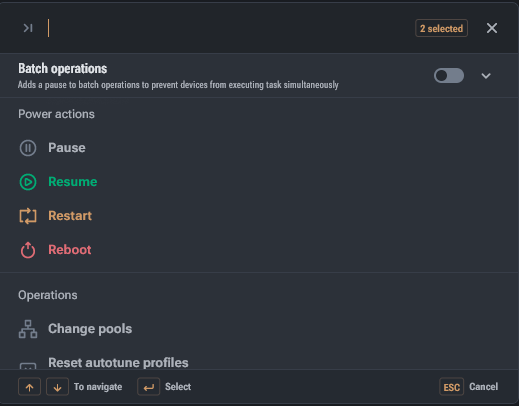
The commands dialog contains all supported commands, except configuration cloning.
At the top of the dialog:
- search by command name
- number of selected devices
Batch operations
Below the search field there is a batch operations block.
- By default, batch operations are disabled — global settings are applied.
- Batch mode allows commands to be executed in portions, with a specified pause between batches.
- This is required to smooth load/voltage spikes when a command is applied to hundreds of devices.
Power actions do not require additional settings
- Pause — pauses mining. For Bitmain, switches the device to Sleep mode.
- Resume — resumes mining. For Bitmain, sets Normal mode.
- Restart — restarts mining. For Bitmain, sets Normal mode.
- Reboot — reboots the device operating system.
Quick Actions Panel
The quick actions panel is dynamic — the set of buttons depends on the selected devices and context (whether there are locked devices, whether a cloning source is selected, and how many devices are selected).
Change Pools
The pool modification command allows mass configuration of mining pool connection parameters for selected devices with template and preset support.