

Device Management
Operations
Change Pools
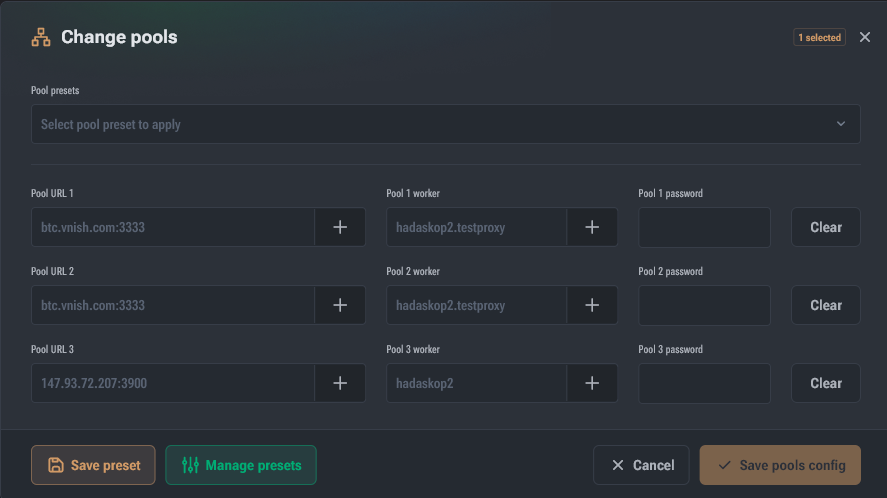
This command opens the pool data modification dialog.
Behavior depends on the number of selected devices:
- 1 device: fields are pre-filled with current values (password hidden).
- multiple devices: fields are populated with templates:
- URL:
{pool-host}:{port} - Worker:
{account}.{worker} - Password:
{password}
- URL:
When any field is changed, a result preview appears (generated based on the first selected device).
Change indication and quick actions
- Changed fields are highlighted, and a cross appears to reset the change for a specific field.
- The following buttons are available on the right:
- Reset — revert all fields to their original state
- Clear — clear all fields (equivalent to deleting a pool)
Pool Substitution Templates
To open the list of available templates, click “+” next to the field.
URL Templates:
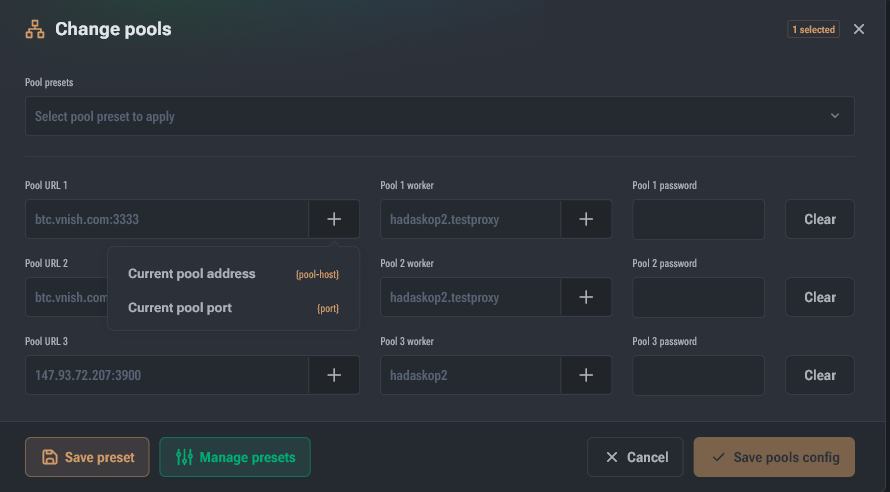
{pool-host}— pool protocol and address{port}— port
Worker Templates:
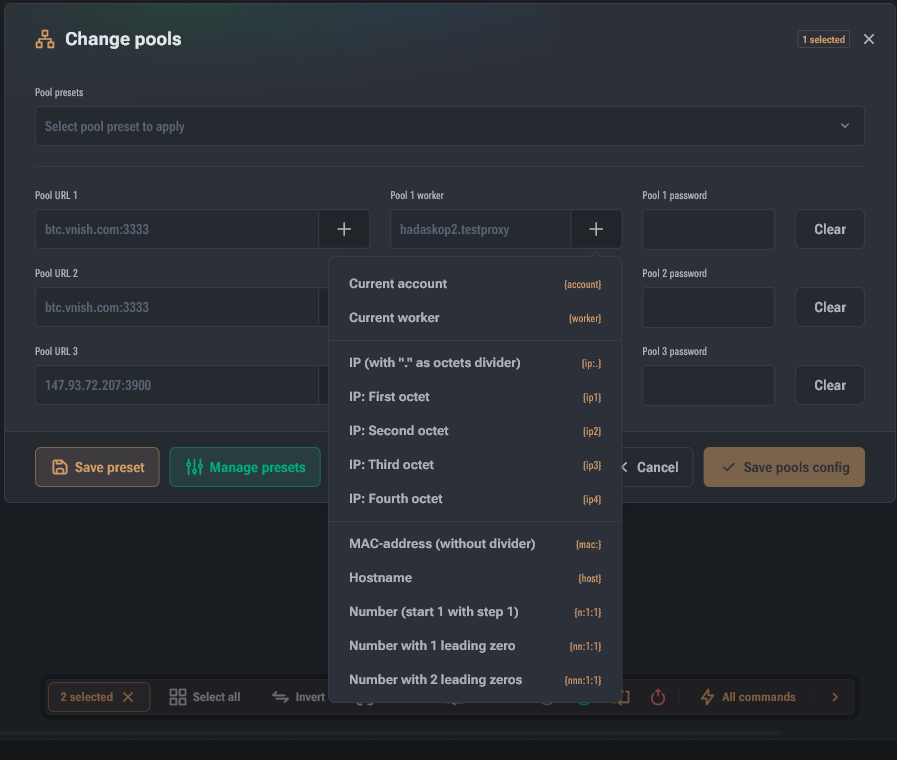
{account}— the part of the worker before the first dot (e.g.,myaccfrommyacc.worker.001){worker}— the part of the worker after the first dot (e.g.,worker.001){ip:<dev>}— device IP with separator<dev>(default.){ip1}{ip2}{ip3}{ip4}— IP octets{mac:<dev>}— device MAC with separator<dev>(default no separator){host}— hostname from network settings{n:<start>:<step>}/{nn:...}/{nnn:...}— sequential device number (n= number of digits). Example:{nnn:10:2}→010, 012, 014…
Pool Templates (as a saved preset)
You can save the current field values as a template:
- make changes → Create Template → set a name
- the template is selected from the dropdown list at the top of the dialog
- when clicking Create Template again (when a template is selected), you can:
- update the selected template
- or save changes as a new template
Autotune (Hashcore/Vnish)
- Reset Autotune Profiles — resets all saved profiles
- Reset Current Profile — resets the active profile These commands do not require additional dialogs and are executed after confirmation.
Diagnostic Report (Hashcore/Vnish)
This command prompts you to select a folder and specify the reason for saving the report.
Find Miner
Toggles the operating mode of the control light/indicator on the device.