

Serial Numbers
HashCore Pulse displays the serial numbers of the device and each individual board. This is critical for warranty service, inventory management, and component replacement.
Device Serial Number v0.8.0
It is displayed in the Metrics tab of the device card in the Serial Number row. Next to it is a copy-to-clipboard icon with visual confirmation.

Board Serial Numbers v0.8.0
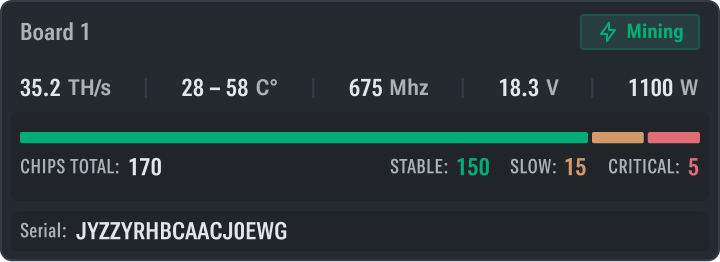
The serial number of each board is displayed in the Boards section of the device card — in the row of the corresponding board next to its number and status. Serial numbers are also available in the Boards Config dialog (Config ↗ button).
Copying a board's serial number is similar to the device, via the icon next to the value.
Where Serial Numbers Are Used
- Warranty Service — for submitting a request to the manufacturer's service center
- Inventory Management — for maintaining an equipment register
- Diagnostics — when replacing boards to track the history of a specific component
- Diagnostic Report — serial numbers are included in the diagnostic archive
Network Information
The Network tab in the device card displays the miner's full network parameters. This is especially useful for diagnosing network issues and inventorying equipment.
Boards
The Boards tab in the device card displays detailed information about each hashboard and allows you to manage their activity. Available only for devices running HashCore Firmware.