Network Group Management
Creating a Network Group
Creating a network group and working with IP address ranges for scanning and monitoring.
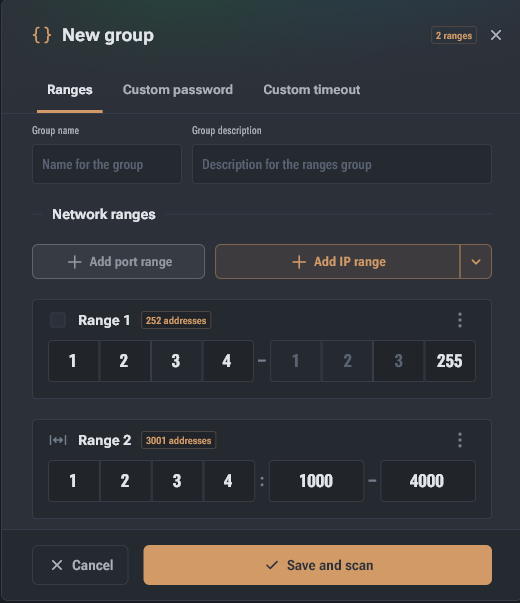
To get started, you need to create a network group that combines the addresses of your devices for scanning and monitoring.
Name and description setup
In the "New Group" window, set a name and, if necessary, a description to identify a location or facility.
Adding ranges
You can add two types of network data:
- IP address range — for discovering miners on the network.
- Port range — for scanning specific ports.
Range operations
- Editing: Each range can be renamed or deleted via the context menu (the "three dots" icon).
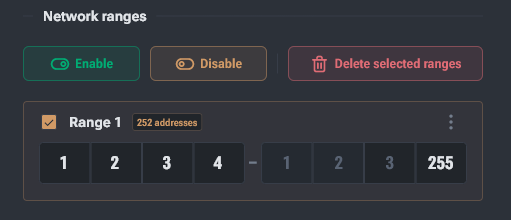
- Bulk management: You can select one or multiple ranges by checking the checkboxes to the left of their names. When selected, bulk action buttons appear above the list:
- Enable — activates ranges for scanning.
- Disable — excludes ranges from the polling process without removing them from the group.
- Delete selected — completely removes the selected entries from the group.