Network Group Management
Creating a Network Group and Working with Ranges
Network groups allow you to combine IP ranges and ports for mass scanning, statistics monitoring, and device management.
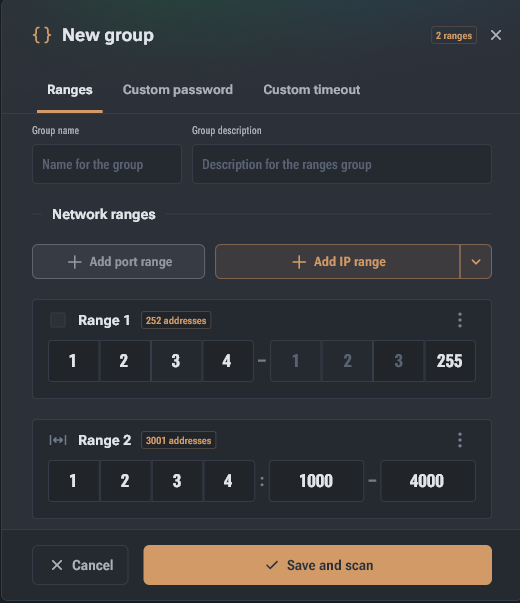
To get started, you need to create a network group that combines the addresses of your devices for scanning and monitoring.
- Setting Name and Description: In the "New Group" window, set a name and, if necessary, a description to identify the location or workshop.
- Adding Ranges: You can add two types of network data:
- IP Address Range — for finding miners on the network.
- Port Range — for scanning specific ports.
- Operations on Ranges:
- Editing: Each range can be renamed or deleted via the context menu (three-dot icon).
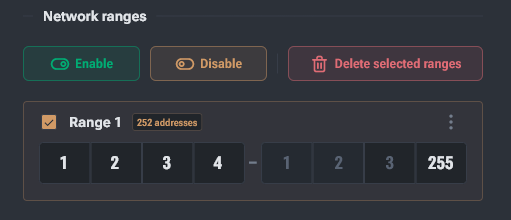
- Bulk Management: You can select one or more ranges by checking the checkboxes to the left of their names. When selected, bulk action buttons appear above the list:
- Enable — activates ranges for scanning.
- Disable — excludes ranges from the polling process without deleting them from the group.
- Delete Selected — completely removes the selected entries from the group.