

Working with a Proxy Port
Proxy Port Structure
Before creating a port, it's useful to understand its structure:
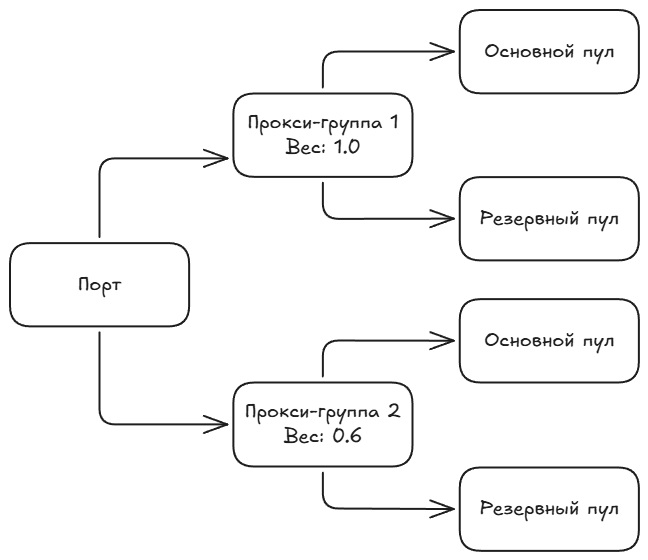
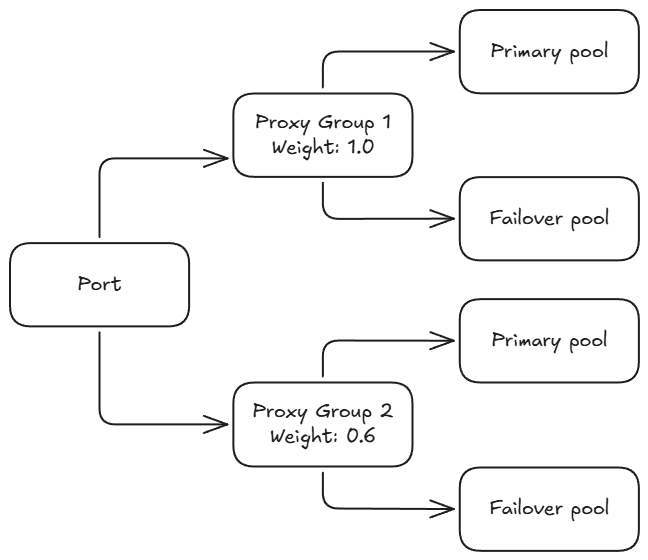
Structure Explanation:
- Port: The entry point for miners. HashCore Proxy can accept connections on multiple ports simultaneously. Each port is configured independently and can serve a large number of miners.
- Proxy Groups: An intermediate load balancing layer. The load between groups is distributed by Weight.
- Pools: Specific mining pools within a group. In each proxy group, the first Pool is Primary, and the others are Backup / Failover.
Creating a Proxy Port
- Click the
+ New proxy portbutton.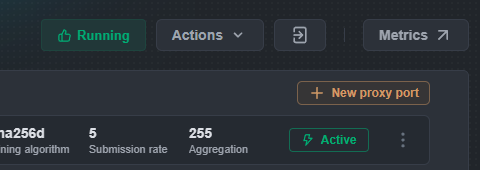
The “Proxy port configs” modal window will open.

- Fill in the main parameters:
- Name: The port's name (up to 28 characters) — for identification in the web configurator and Grafana.
- Port: The port number for miners to connect (working range 3000 – 4000).
- Submission rate: The frequency of share submission to the Pool. Default value: 5 (1 share every 5 seconds). This parameter is set in seconds between shares — the higher the value, the less frequently shares are sent to the Pool, and the higher their difficulty. Examples:
5— 1 share every 5 seconds
10— 1 share every 10 seconds2— 1 share every 2 seconds
Note: In the web configurator, the value is set in seconds. In the YAML file, the same parameter is recorded as a frequency — the number of shares per second:
submission_rate: 0.2means 1 / 5 = 0.2. More details in section 6.5.
- Aggregation: The number of miners per connection to the Pool. Default value: 200, maximum: 255. The higher the value, the fewer connections the proxy opens to the Pool, and the more traffic is compressed. Examples:
aggregation: 10with 68 miners → 7 connections to the Poolaggregation: 255with 68 miners → 1 connection to the Pool
The total traffic volume between HashCore Proxy and the Pool depends on
aggregationandsubmission_rate— the higher the aggregation and the lower the share submission frequency, the less data is transmitted.
- Mining algorithm: Mining algorithm:
sha256dis used for Bitcoin and other coins based on the SHA-256D algorithm.
scryptis used for Litecoin and other coins based on the Scrypt algorithm.
- Add at least one Pool to each Proxy Group.
⚠️ If there is no Pool in the group, clicking the Save button will display a warning: “Pool group must have at least one pool”
- Click the
Savebutton.
After saving, the port will appear in the list of proxy ports with an Inactive status. To activate it, go to the port management menu (three dots ⋮) and select Enable.
Managing a Proxy Port
- In the list of ports, click on the three dots (
⋯) to the right of the desired port. - In the context menu, select the desired action:
- Enable/Disable: Toggle to enable/disable the port.
- Edit: Opens the proxy port settings editing window.
- Delete: Deletes the proxy port.
Settings are applied automatically without system restart.