

Web Configurator
Working with Mining Pools
Adding and managing mining pools within proxy groups in the HashCore Proxy web configurator.
Adding a Mining Pool
In the target proxy group, click + Add pool and fill in the fields:
- URL — stratum server address, e.g.:
btc.vnish.com:3333 - Worker — worker name (your pool account login), e.g.:
account.worker - Pass — worker password. Most pools don't require a password.
- TLS — encryption protocol for the connection between proxy and pool. Check your pool's documentation to find which ports support TLS.
TLS setting mismatch with the port will prevent the connection from being established and the proxy will switch to the backup pool.
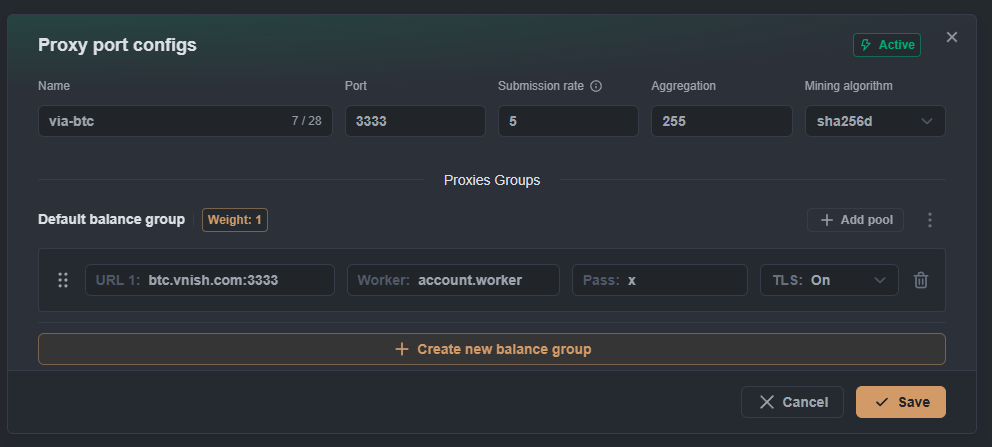
You can add multiple pools to one group — the first will be primary, the rest will be backups.
Managing Pools
- Drag & drop — use the
⋮⋮icon to reorder pools. - Delete — click the trash icon.
- Validation — the system automatically checks URL correctness.