

Monitoring
Column Configuration
Customizing displayed metrics through menu or quick access panel.
Metric display is configured via:
- Menu:
View (Вид) → Columns (Столбцы) - View customization button on the quick access panel (view/column settings icon)
In the opened menu, you will see a list of metrics (columns) that can be enabled/disabled and rearranged.
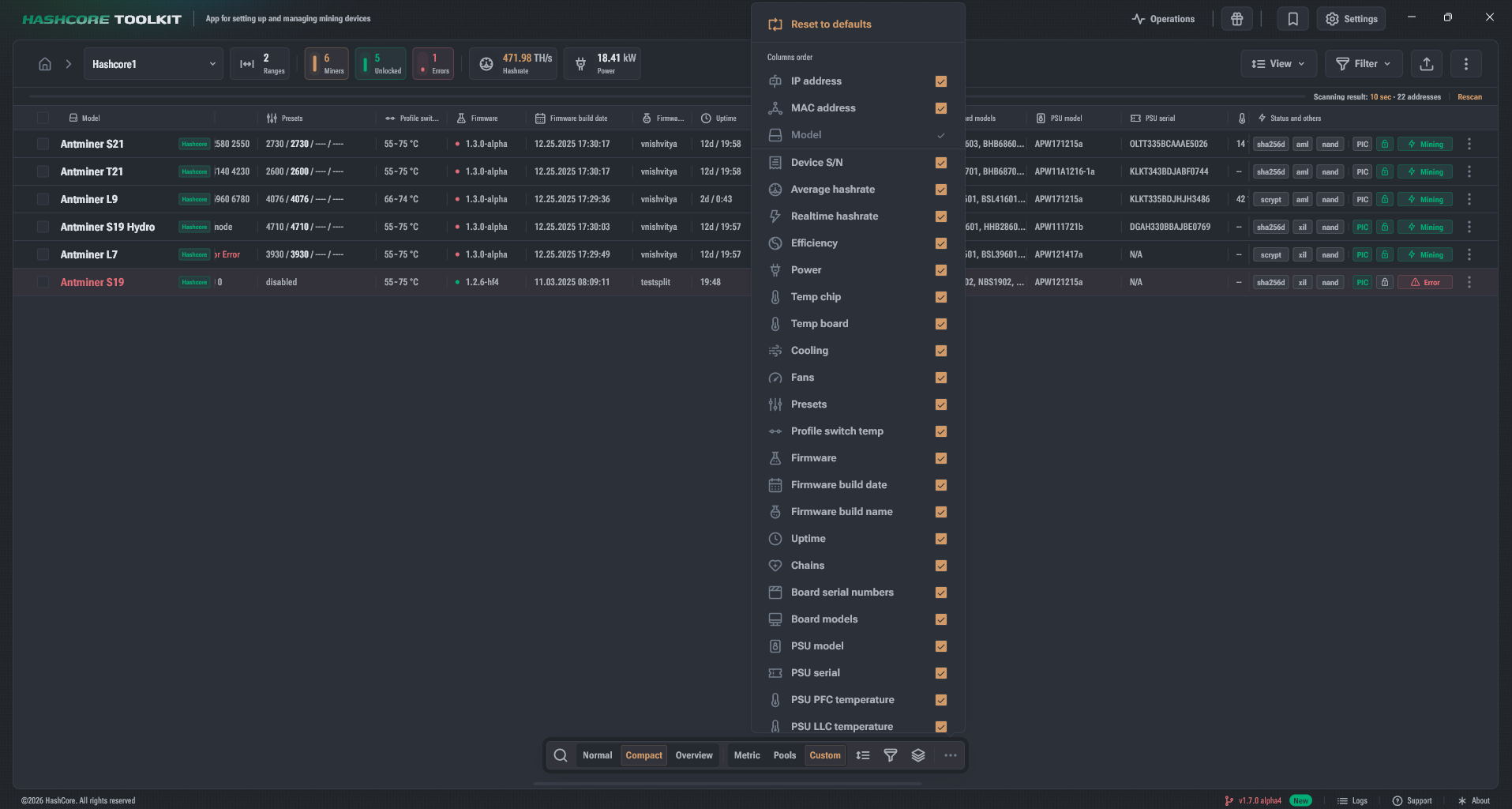
Reset to default settings
At the top of the menu there is an action Reset to defaults / Reset to default.
Reset usually restores:
- the standard set of enabled columns;
- the standard order;
- the basic "recommended" configuration for the current display mode.
Column order
- Columns can be dragged (Drag&Drop): when hovering, the icon changes to a move indicator.