

Settings
Logging Settings
Application logging management and diagnostic reports.
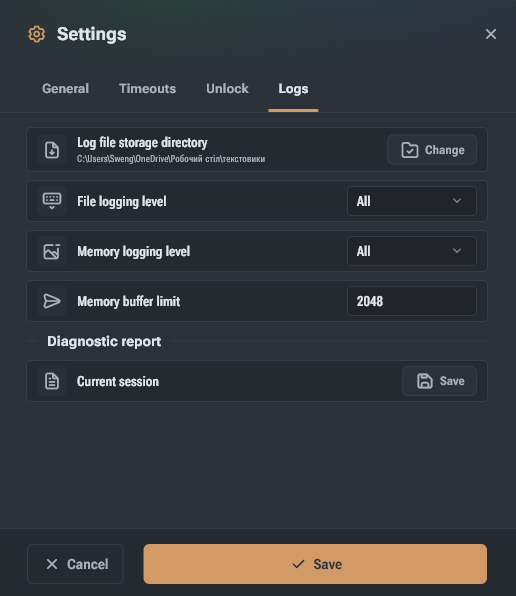
The logging group contains settings for managing application logging.
- Log file directory – folder to save application log files. By default, the system cache folder is used.
- File logging level – minimum importance level of data saved to log files. A new log file is created at each application launch.
- Memory logging level – minimum importance level of data saved in device memory.
- Memory buffer limit – maximum length of in-memory logs. Older entries will be removed when exceeding the limit.
- Diagnostic report → Current session – allows saving a diagnostic report to send Hashcore data about application issues.