

System
General
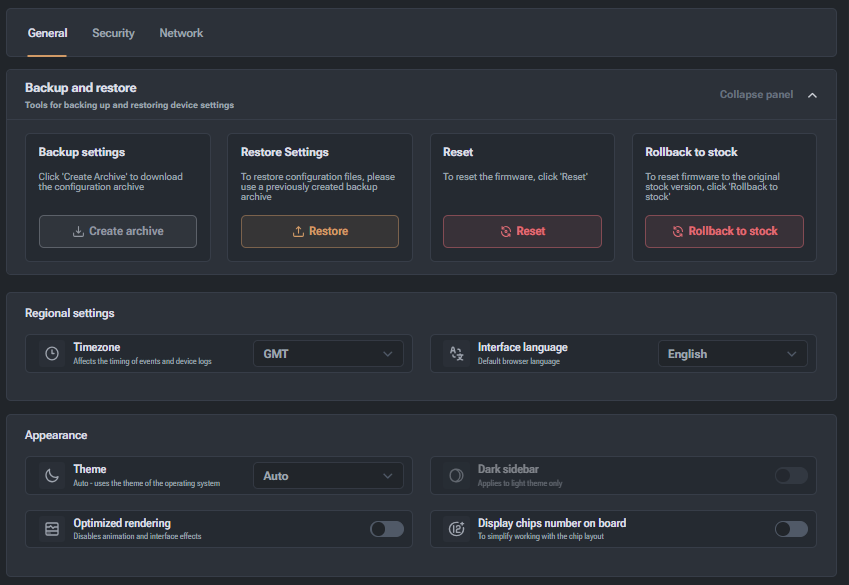
This section is responsible for managing device settings, localization, and visual preferences.
Backup and Restore
Tools for saving and restoring device settings:
- Backup Settings: Create an archive of the current configuration for download to your computer.
- Restore Settings: Upload a previously created configuration file to restore parameters.
- Reset Settings: Reset the current firmware settings to their initial state.
- Return to Stock Firmware: Fully revert the device firmware to the original factory version.
Regional Settings
- Time Zone: Set the time that will be used in event logs (on the image — GMT).
- Interface Language: Select the language for displaying control panels (on the image — English).
Appearance
- Interface Theme: Select the visual design (Auto, Light, or Dark).
- Dark Sidebar: Option for the light theme.
- Interface Optimization: Disable interface animations and effects to reduce system load.
- Show Chip Numbers on Boards: Enable chip numbering in the visual scheme to simplify diagnostics.