

System
Network
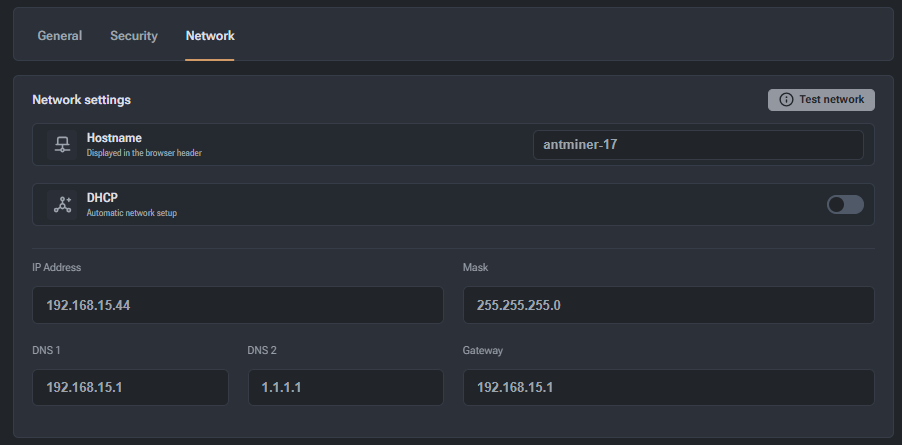
Section for configuring the miner's network connection.
- Hostname: the name of the device that appears in the network environment and browser title.
- DHCP: switch for automatic retrieval of network settings from the router.
- IP Address / Mask / Gateway: display (or manual entry when DHCP is off) of the current IP address, subnet mask, and default gateway.
- DNS 1 / DNS 2: name server settings for correct resolution of pool addresses.
- Network Test: button to open the network testing window.
- Network Testing: a separate window for checking connectivity to a specific host (e.g.,
anthill.farm) using testing tools such as Ping.