

Settings
Logging Settings
The log group contains settings for managing application logging.
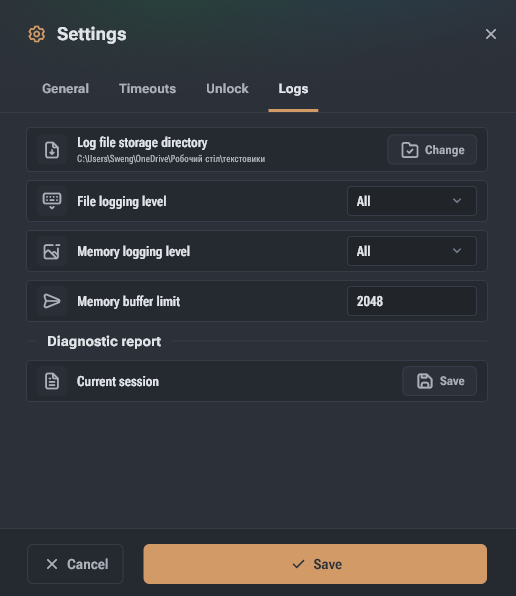
- Log file storage directory – the folder for saving application log files. By default, the system-allocated folder for application data caching is used.
- File logging level – the minimum importance level of data saved by the application to the log file. A new log file is created for each application launch.
- Memory logging level – the minimum importance level of data saved by the application in device memory.
- Memory buffer limit – limits the length of the log in memory. If the limit is exceeded, older entries will be removed from the log.
- Diagnostic report → Current session – allows saving a diagnostic report to send application issue data to Hashcore.