

Firmware
Quick Actions
Quick access panel for instant adjustment of interface and visual settings.
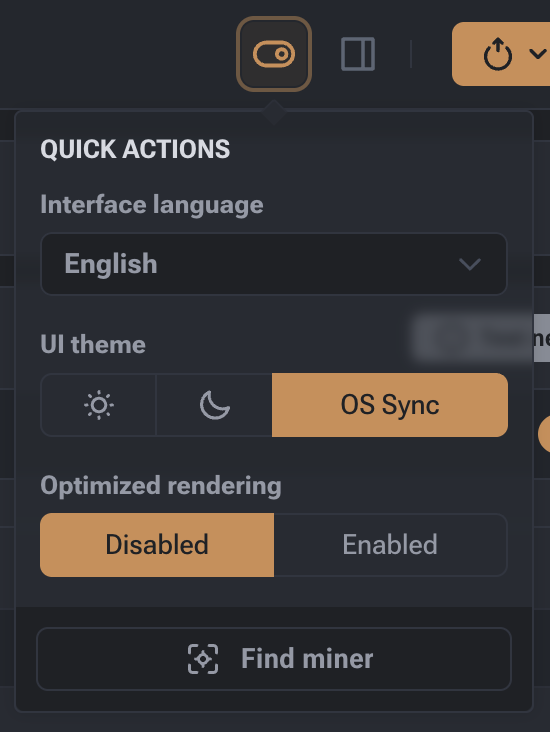
The Quick Access panel is designed for instant adjustment of interface and visual settings. You can open the panel by clicking the settings icon (gear) at the top of the screen.
Interface Settings
- Interface Language: Dropdown menu for quickly switching the control language (e.g., English).
- Interface Theme: Choose the interface color scheme. Available options: Light (sun), Dark (moon), or OS Sync to match your device’s system settings.
- Sidebar Theme: Special setting available when Light Theme is selected. Allows independently switching the sidebar color between light and dark modes for better readability.
- Interface Optimization: Toggle (Enabled/Disabled) for managing visual effects. Enabling this disables complex animations, reducing CPU load and speeding up the web interface.
Identification Tools
- Miner Search: Button to activate light indicators on the miner case. When pressed, the device LEDs start blinking, allowing you to quickly locate a specific unit among many others in a rack.