

Installation And Support
Obtaining Control Board Boot Logs.
This manual describes the method for obtaining control board boot logs.
Before starting work, ensure you have:
- A control board (in our example, based on an Amlogic processor) and a 12V power supply.
- A computer or laptop with Windows installed
- Any USB - UART adapter with drivers installed (in our case, Silabs CP2102). A terminal program (in our case, Putty) for connecting and sending commands to the control board.
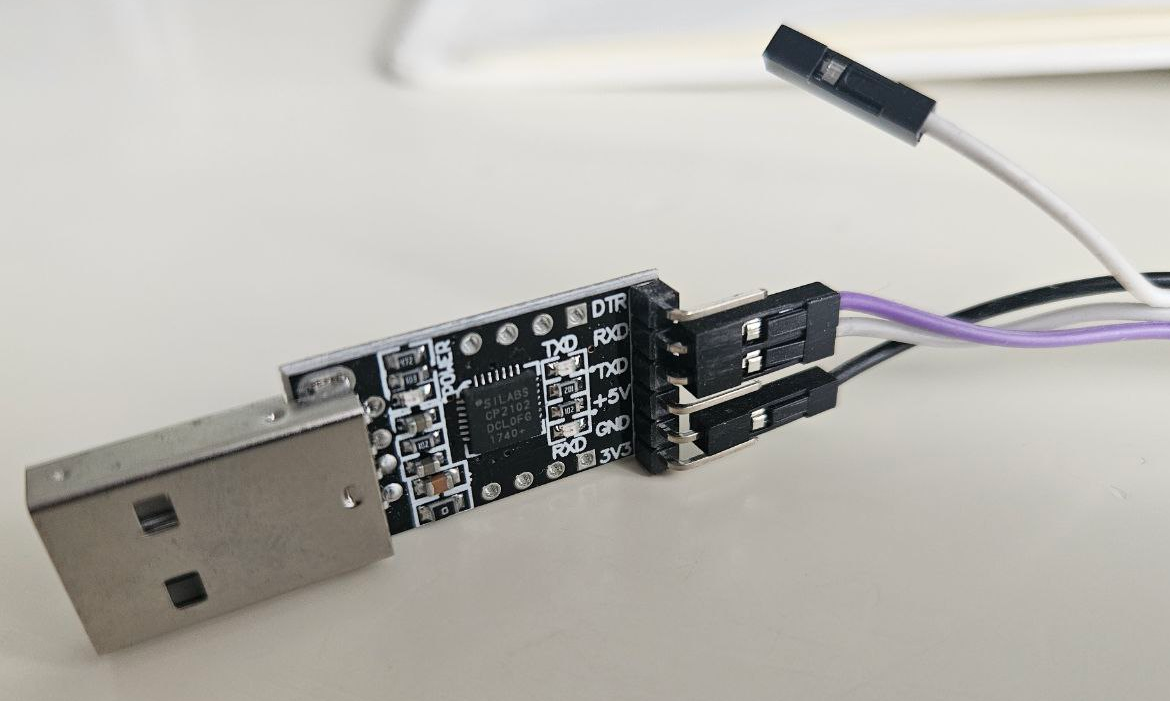
Perform the following steps:
- Connect the adapter to the computer. Identify the assigned port number (in our case, COM7)

- Identify the UART pins on the control board.
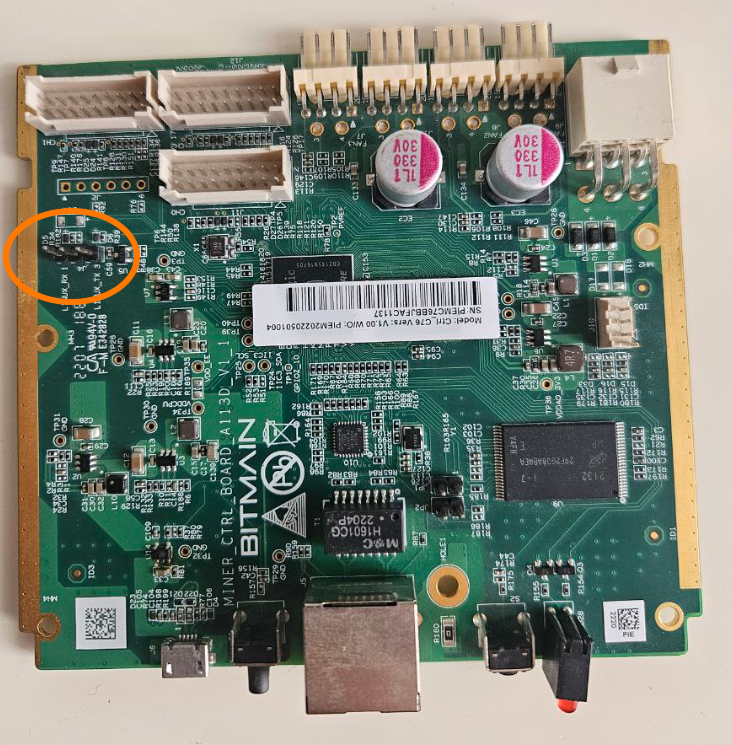
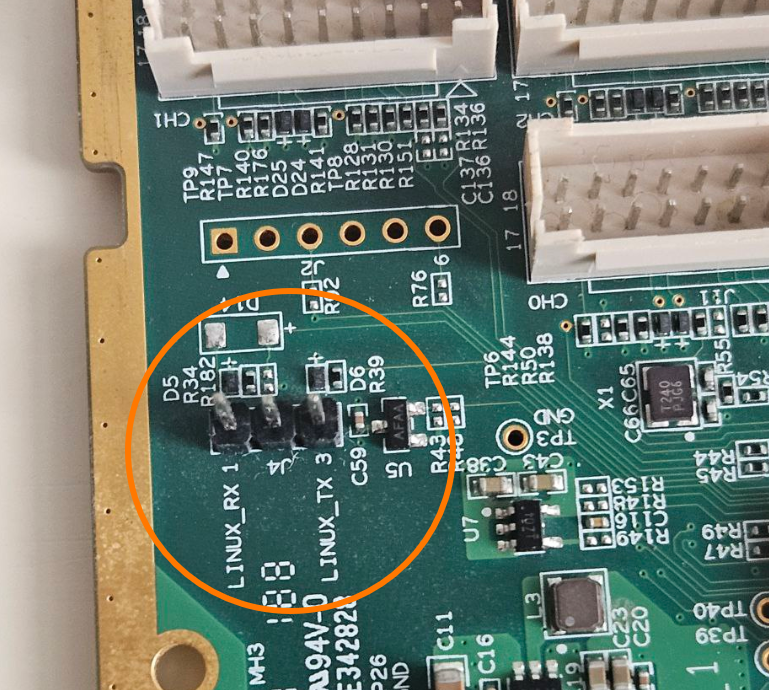
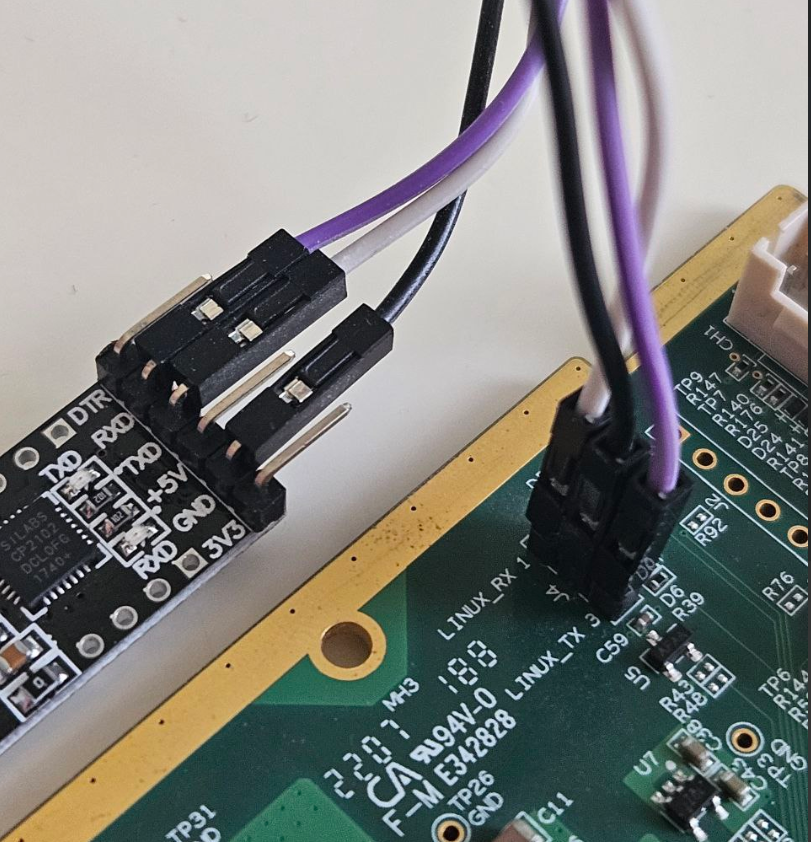
- Connect the USB - UART adapter to the control board according to the scheme: GND - GND, RXD - LINUX_TX, TXD - LINUX_RX.
- Open the Putty terminal window. Configure the port number and speed to 115200. Leave other parameters at default.
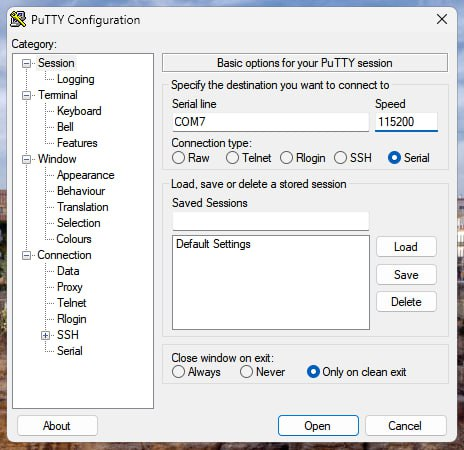
- At this stage, you can verify the correctness of the connections. When power is supplied to the control board, the device's boot log will be displayed in the terminal window.
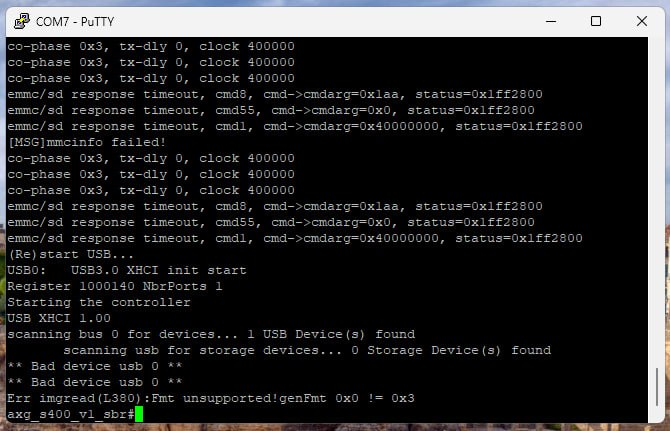
Unlocking the ability to downgrade AML control boards to an earlier firmware version for subsequent installation of custom Vnish firmware
On AML control boards with stock firmware versions released after September 2025, the ability to downgrade firmware using an SD card is disabled.
Hashrate
The widget displays a key performance indicator of your mining equipment, allowing you to track operational efficiency and compare actual mining output with expected.