

Installation and Support
Board definition
Vnish releases dedicated builds for each architecture. An incorrect board type selection may result in installation failure or incorrect device operation.
How to identify the control board
- Visual inspection: The presence or absence of an SD reader is the fastest identification method.
- Markings: The board type may be indicated directly on the ASIC cover or housing.
- Automatic detection: The Vnish Toolkit can automatically determine the model and board type during network scanning.
Main control board types and firmware installation methods starting from version 1.2.7
- Method: Direct installation to NAND via Toolkit.
- Indicator: Presence of a visible SD card slot on the front control panel.
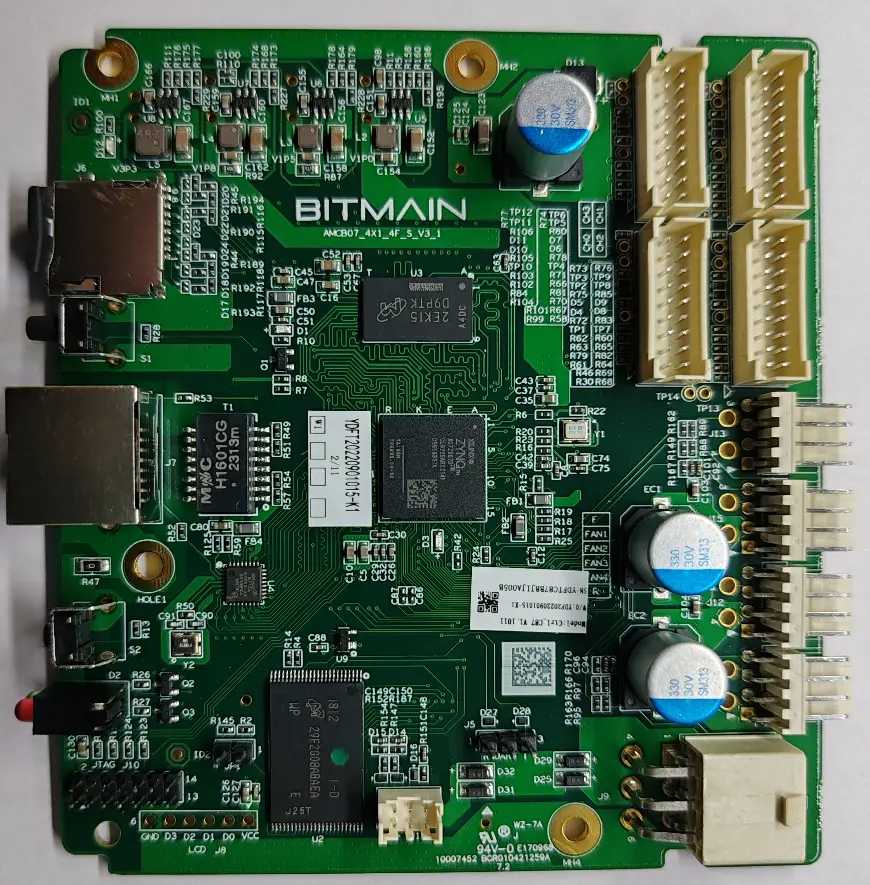
- Processor marking
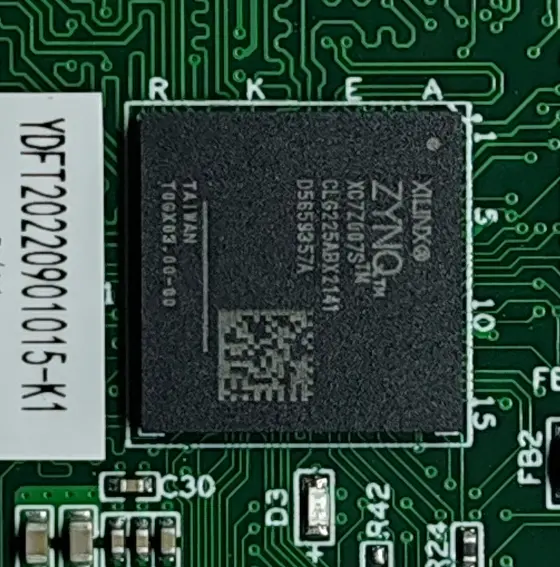
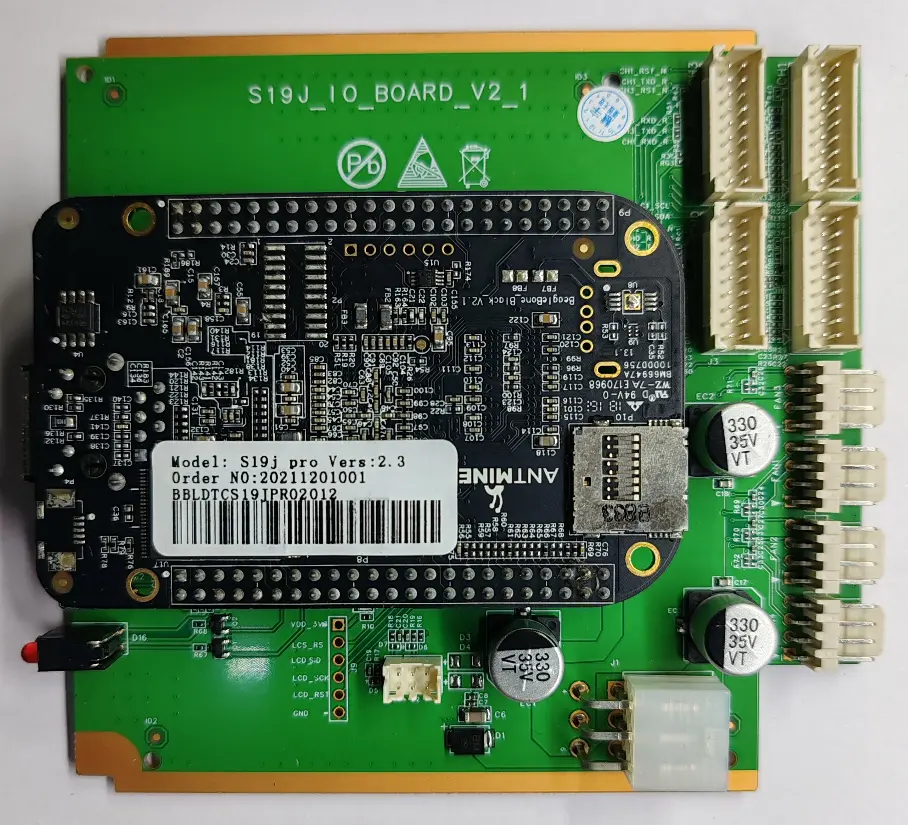
- Method: Direct installation to NAND via Toolkit.
- Indicator: “Two-level” printed circuit board. The SD card slot is often hidden inside the miner case.
- Method: Predominantly direct installation to NAND using special software (Vnish Toolkit).
- Indicator: No SD slot; instead, a micro-USB or USB-OTG port may be present.
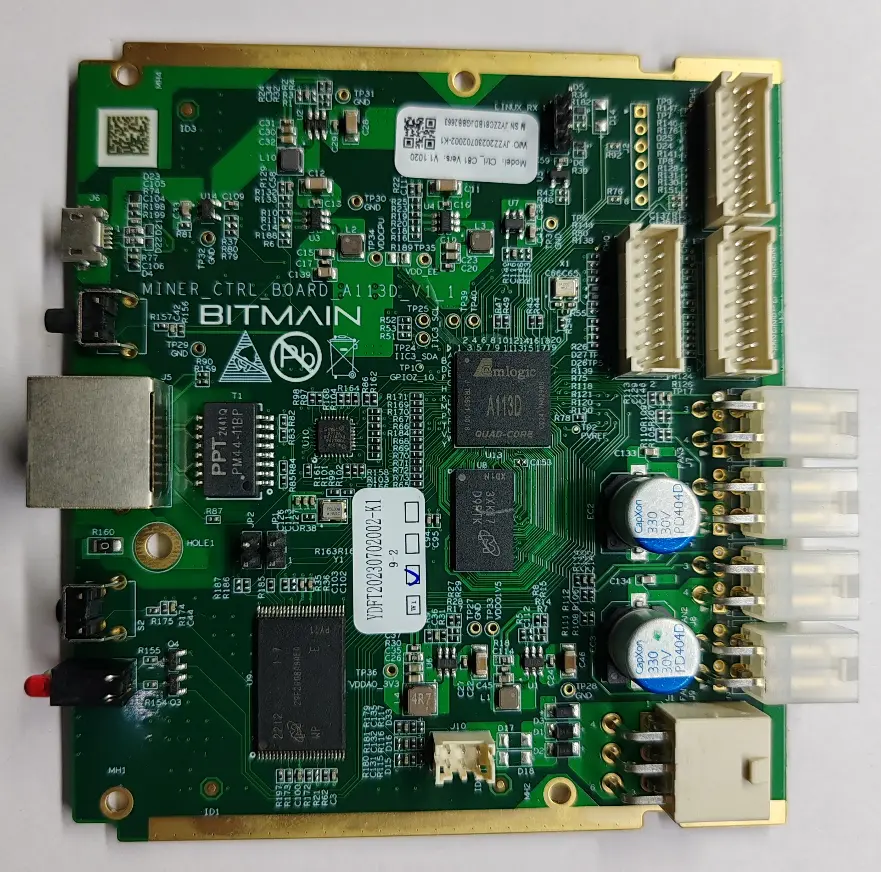
- Processor marking
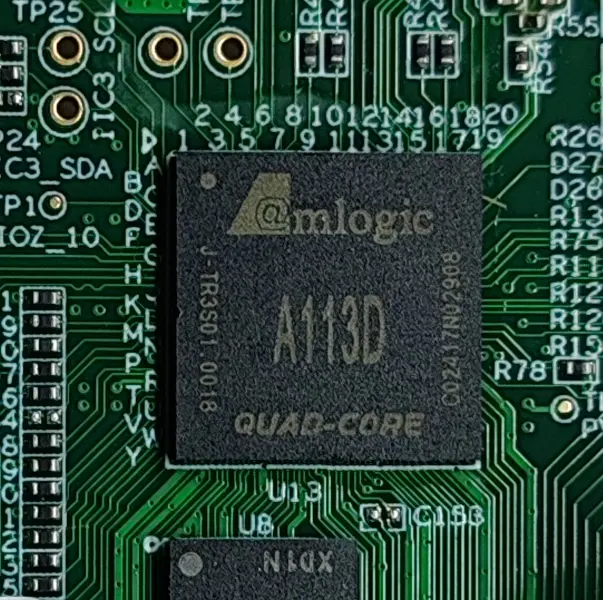
- Method: Installation to NAND via Toolkit. A specific feature of this firmware is the requirement for background operation of Toolkit utilities or Phoenix-scanner, which scan the miner subnet and restore the equipment to operational status on Vnish firmware after power loss or reboot.
- Indicator: Presence of an external SD card slot.
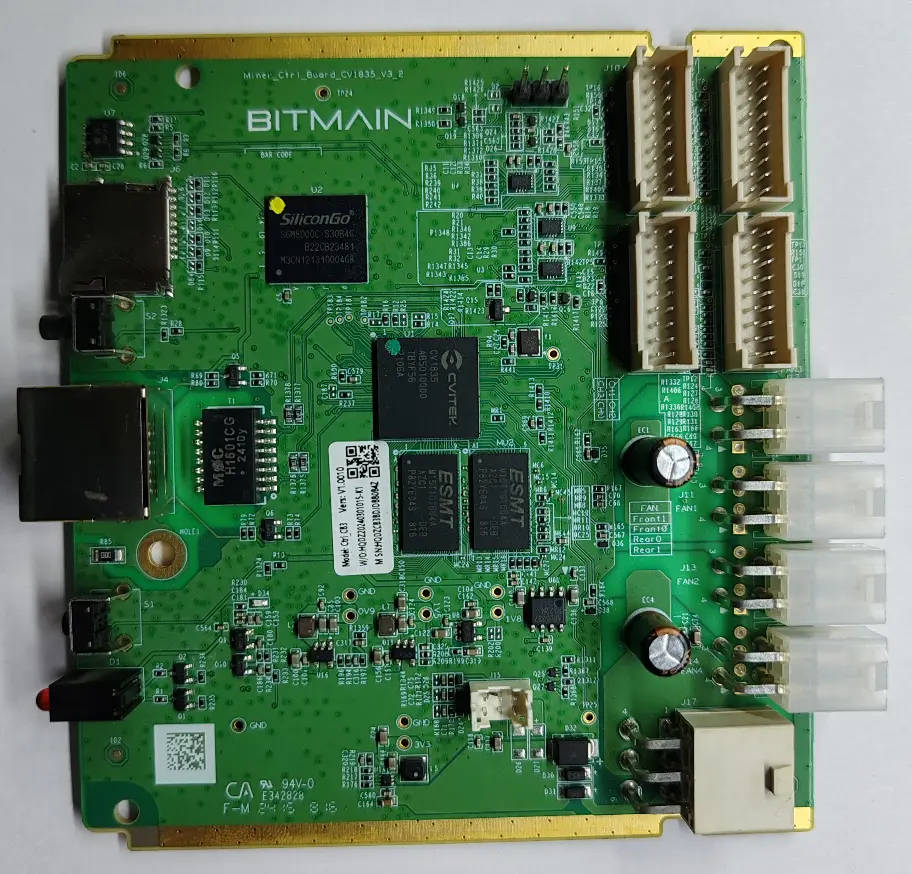
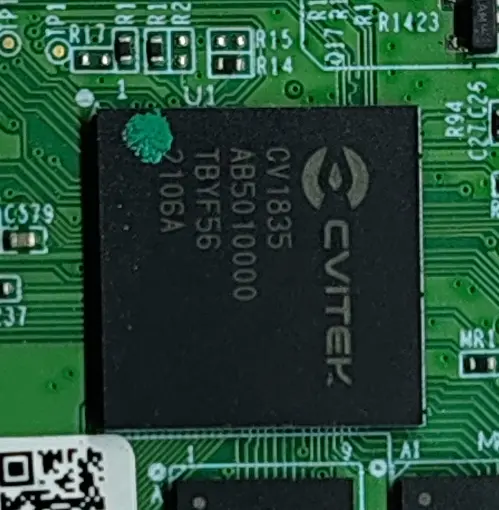
- Processor marking
Supported Miners
Vnish firmware is designed for a wide range of modern and classic miner models, providing support for various algorithms and cooling systems.
Firmware installation and update
For a successful transition to custom firmware, the user must perform a preliminary hardware parameter verification. This is a critically important step that minimizes the risk of software failures (“bricking”) and technical issues during subsequent updates.